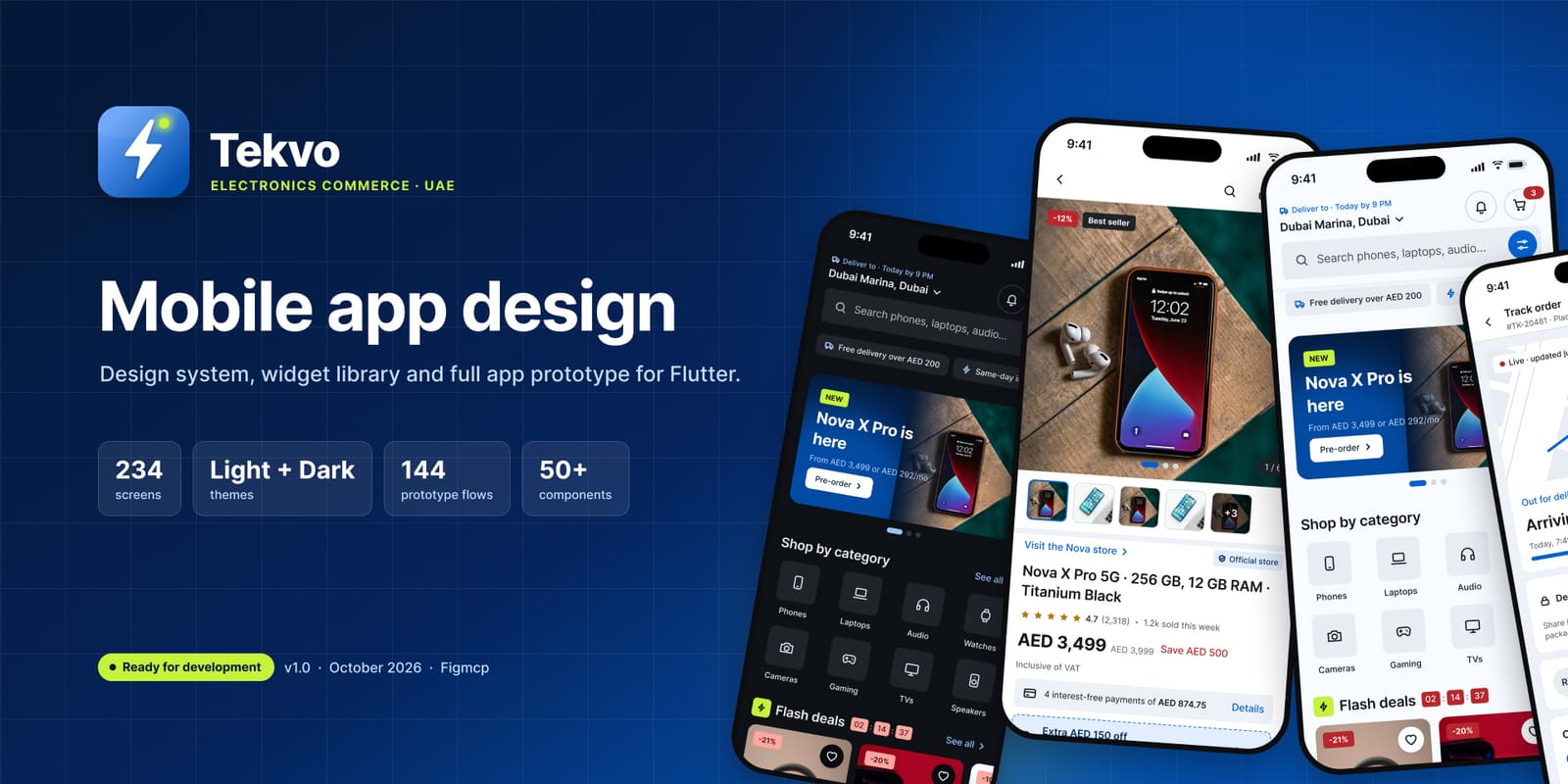
Tekvo
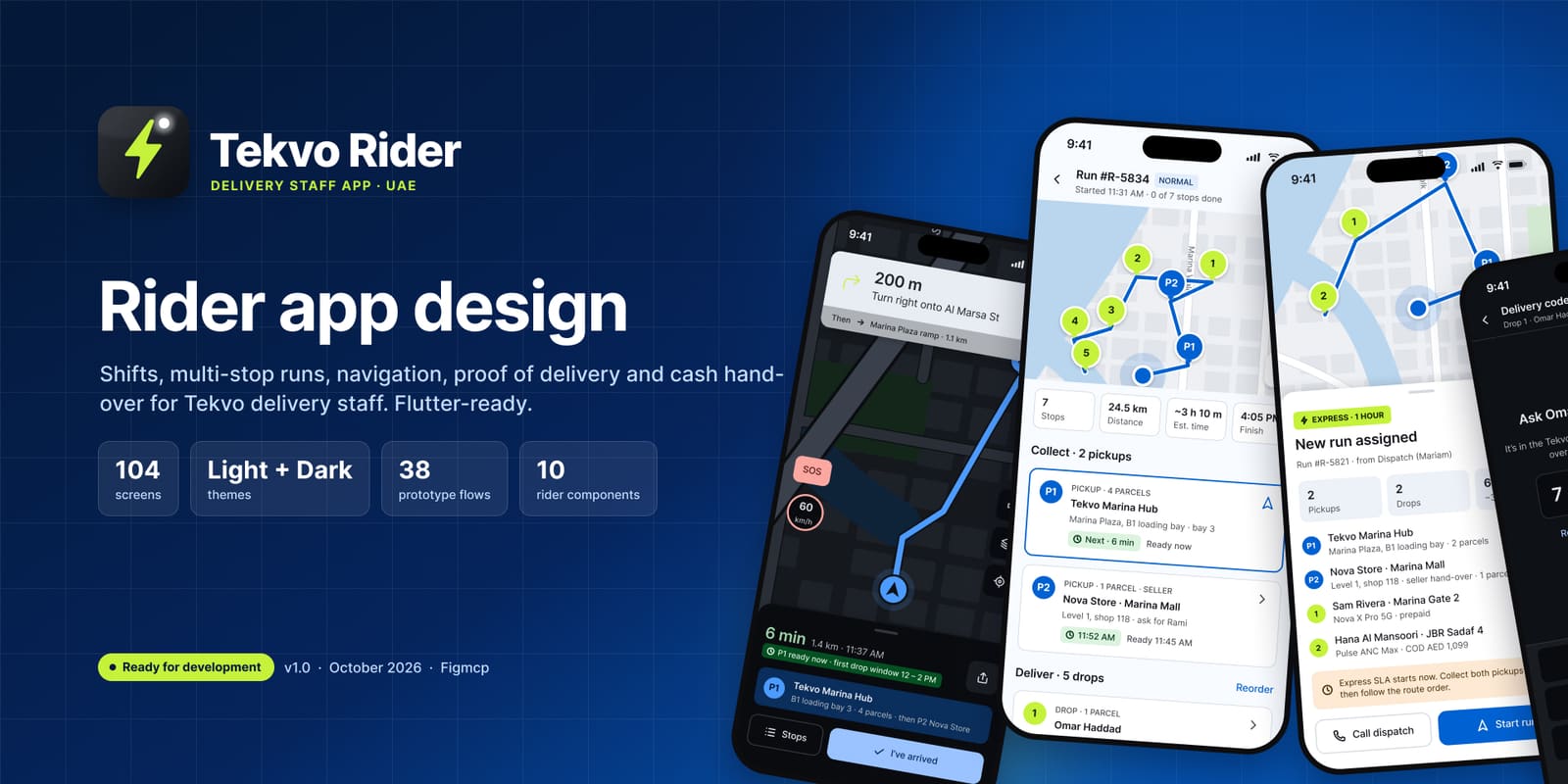
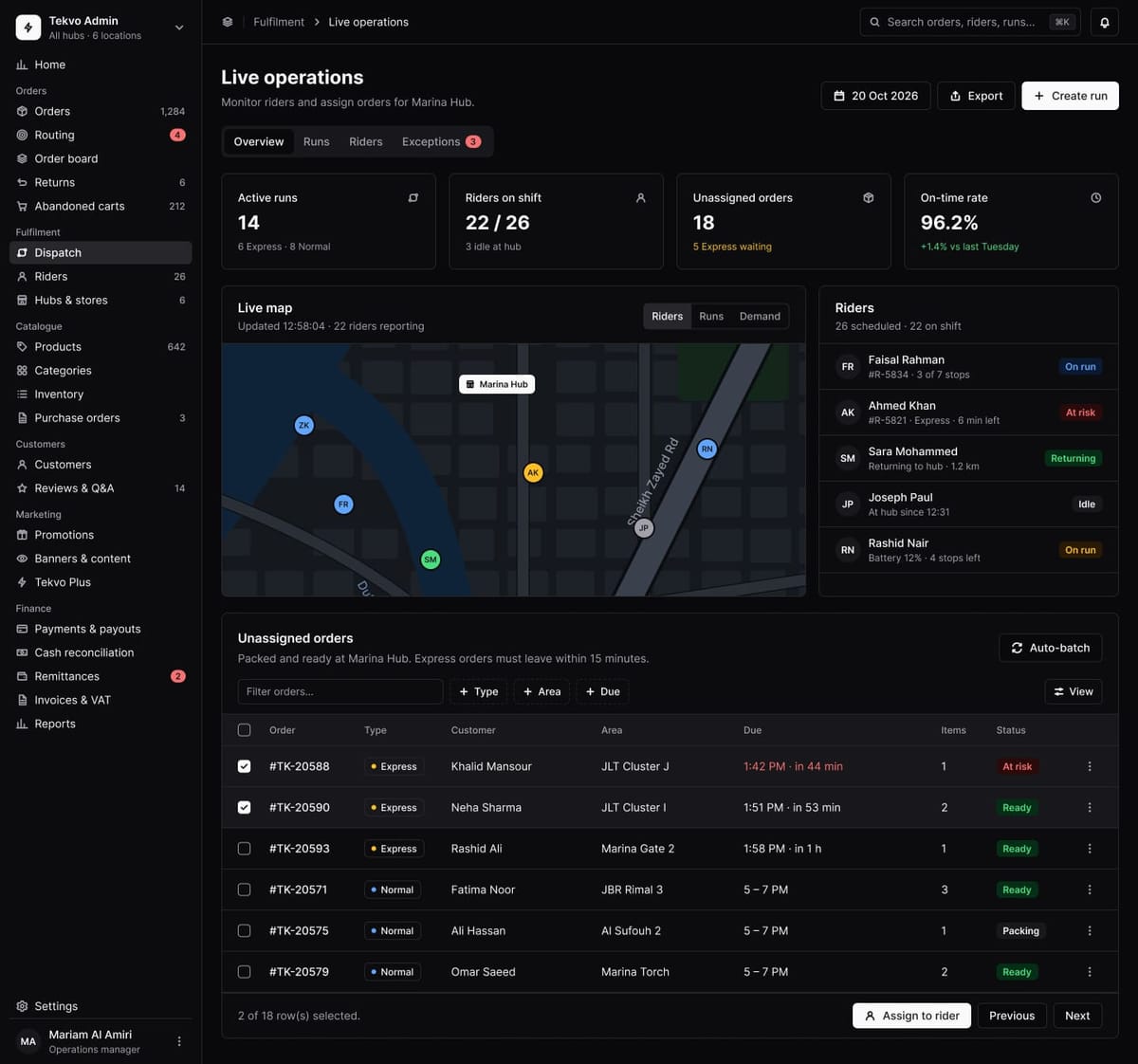
A complete product, not a set of hero shots: the customer app, the rider app, the head-office admin and the hub and store dashboard, designed end to end from one design system. Every flow has its happy path, edge cases, empty and error states, in light and dark.
Try the app
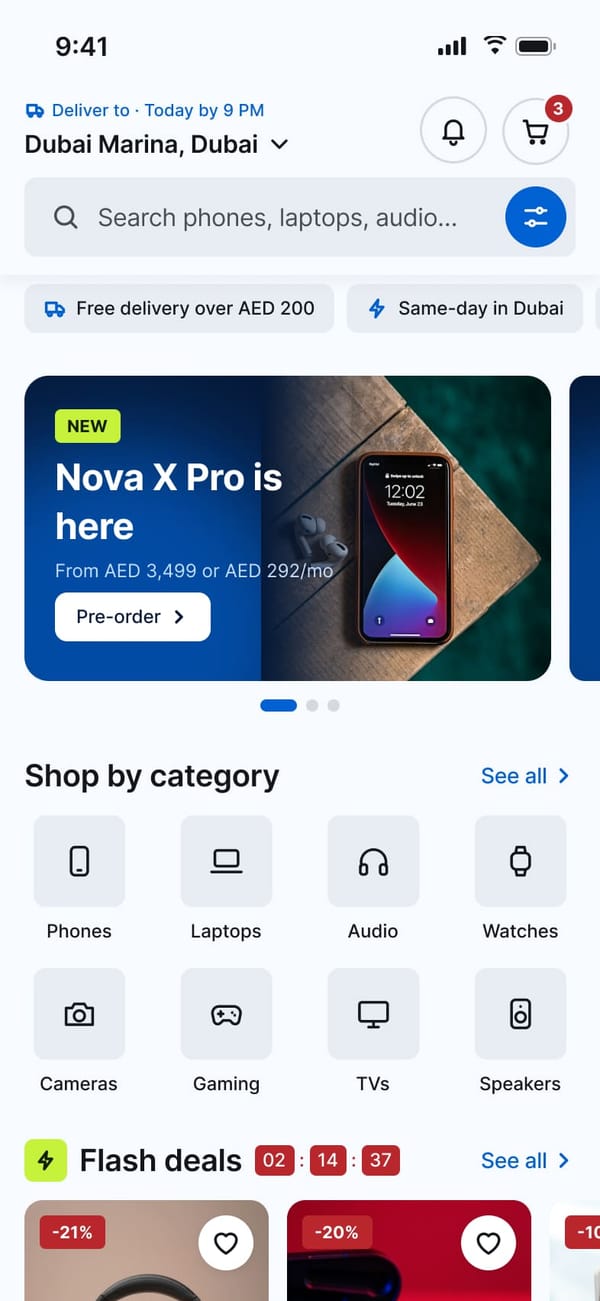
This is the real Figma prototype, wired screen to screen. Sign in, browse, open a product, add it to the cart and check out, right here on the page.
- ›Tap buttons, tabs and cards to move between screens
- ›Scroll long screens like Home and Product details
- ›Open it full screen for the best view
The life of an order
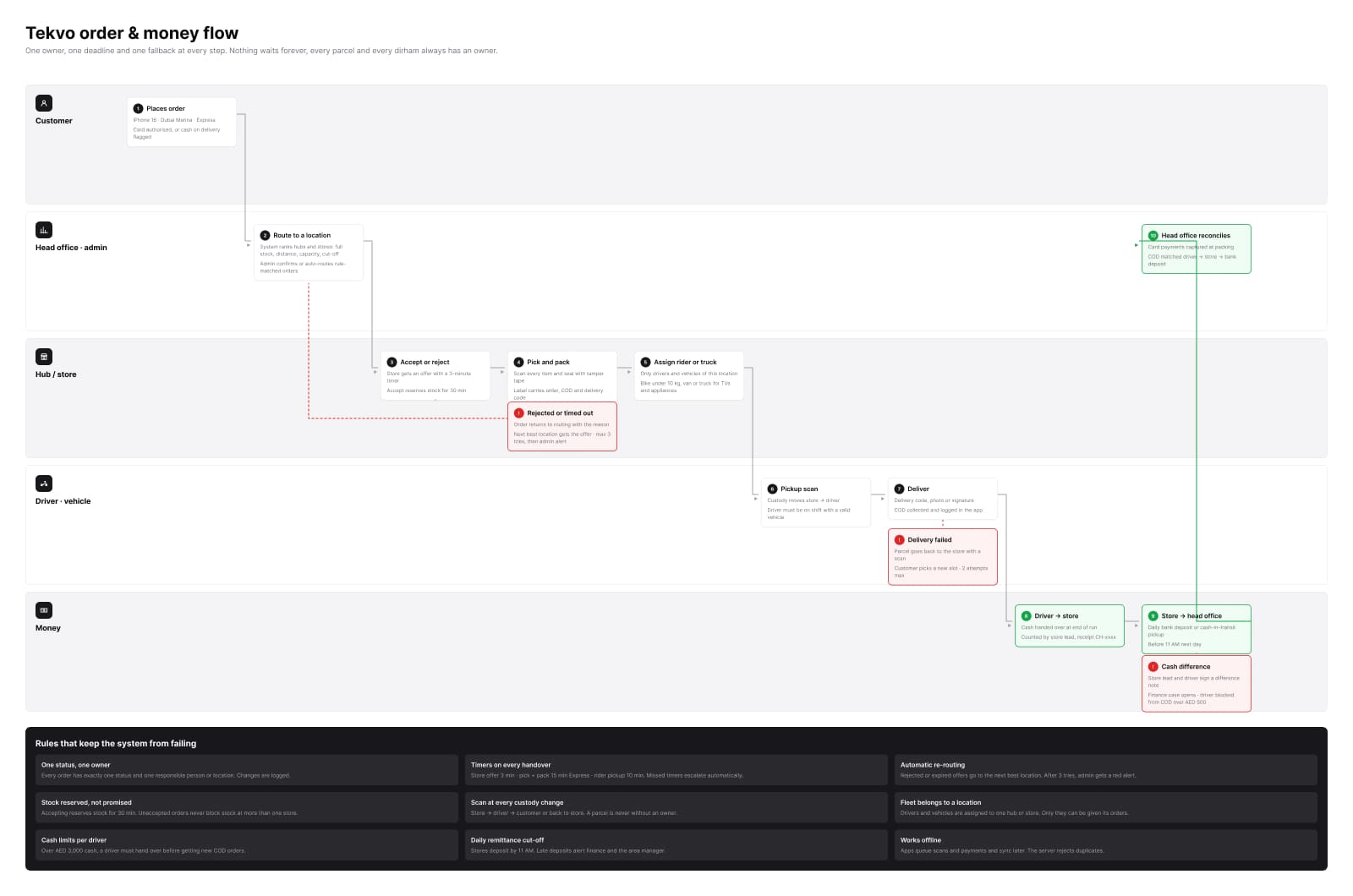
One order touches all four products. Follow it from checkout, through routing, the hub and the rider, to the cash landing at head office.
- 1Customer app
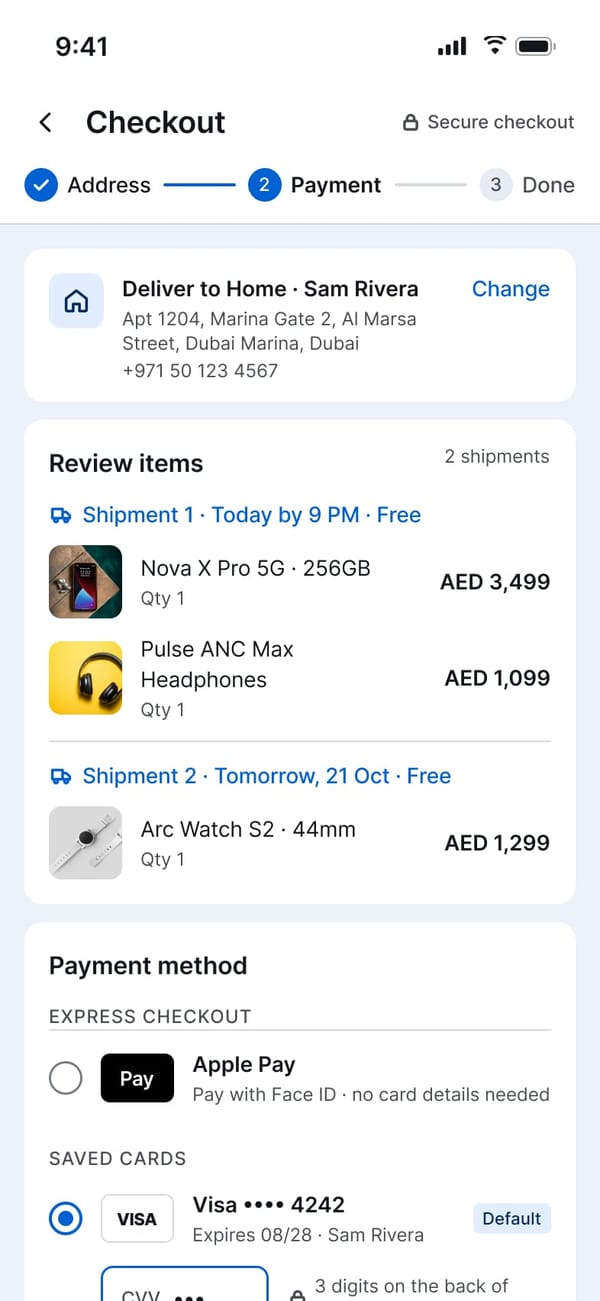
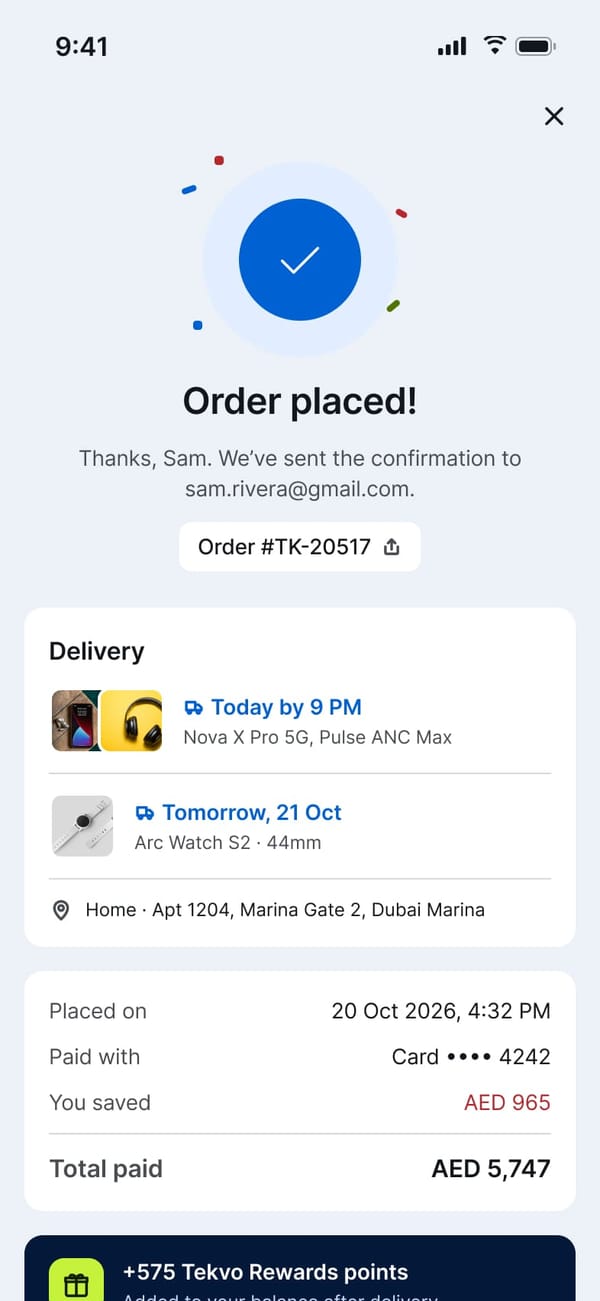
Checkout and pay
Items split into shipments by delivery date. The customer pays by Apple Pay, a saved card or cash on delivery, and gets an order number, the delivery window and the reward points.
- 2Head office
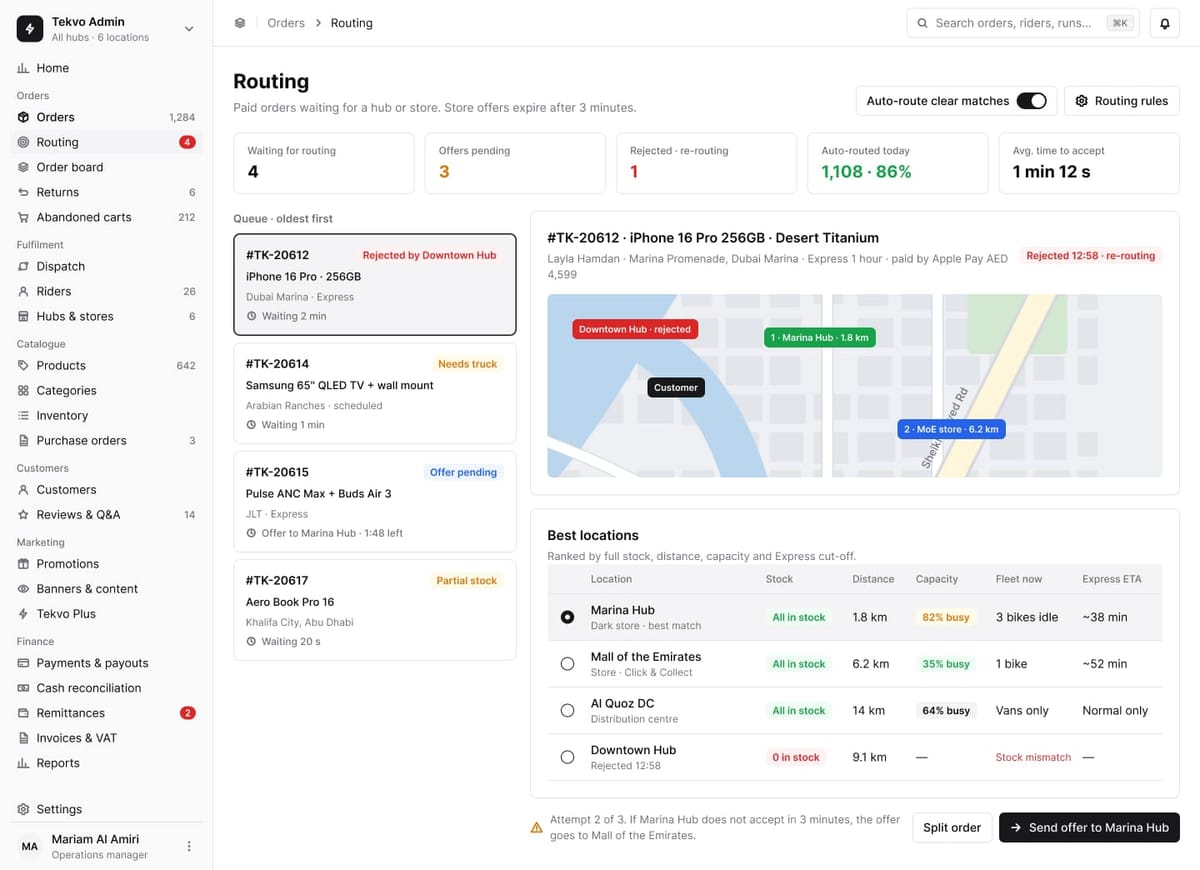
Route to the best location
Paid orders are offered to a hub or store ranked by stock, distance, capacity and the Express cut-off. An offer that isn’t accepted in 3 minutes re-routes to the next one.
- 3Hub and store
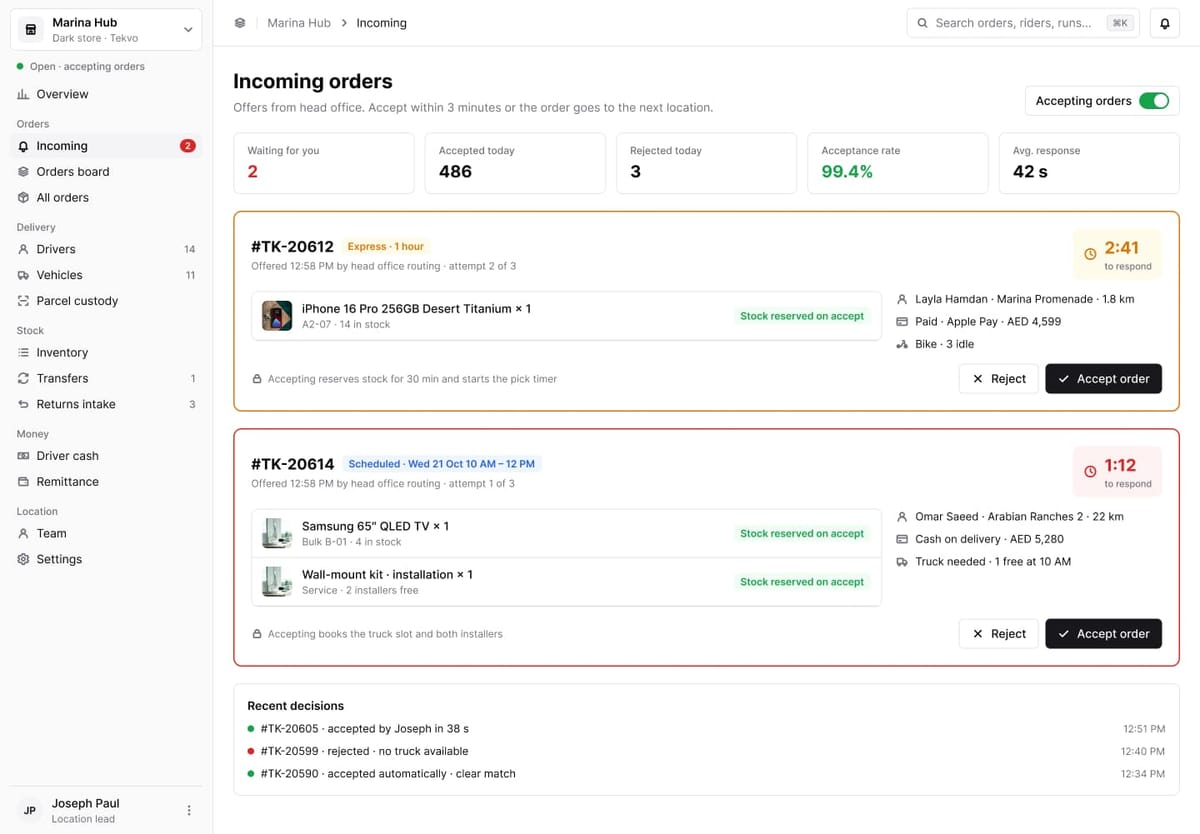
Accept the offer
The hub has a countdown to accept or reject. Accepting reserves the stock and starts the pick timer; large items also book a truck slot and installers.
- 4Hub and store
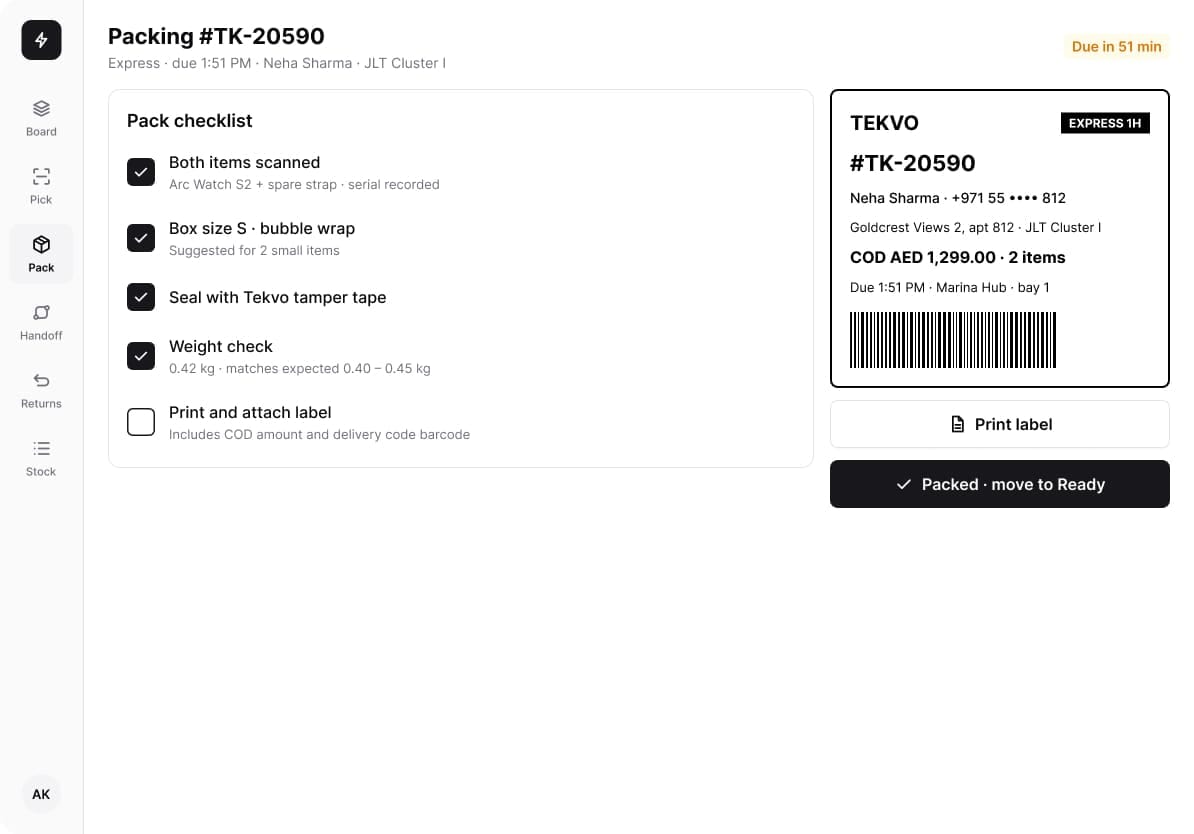
Pick and pack on the tablet
Every item is scanned with its serial, the box and tamper tape are checked, the weight is matched, and the label carries the COD amount and the delivery-code barcode.
- 5Hub and store
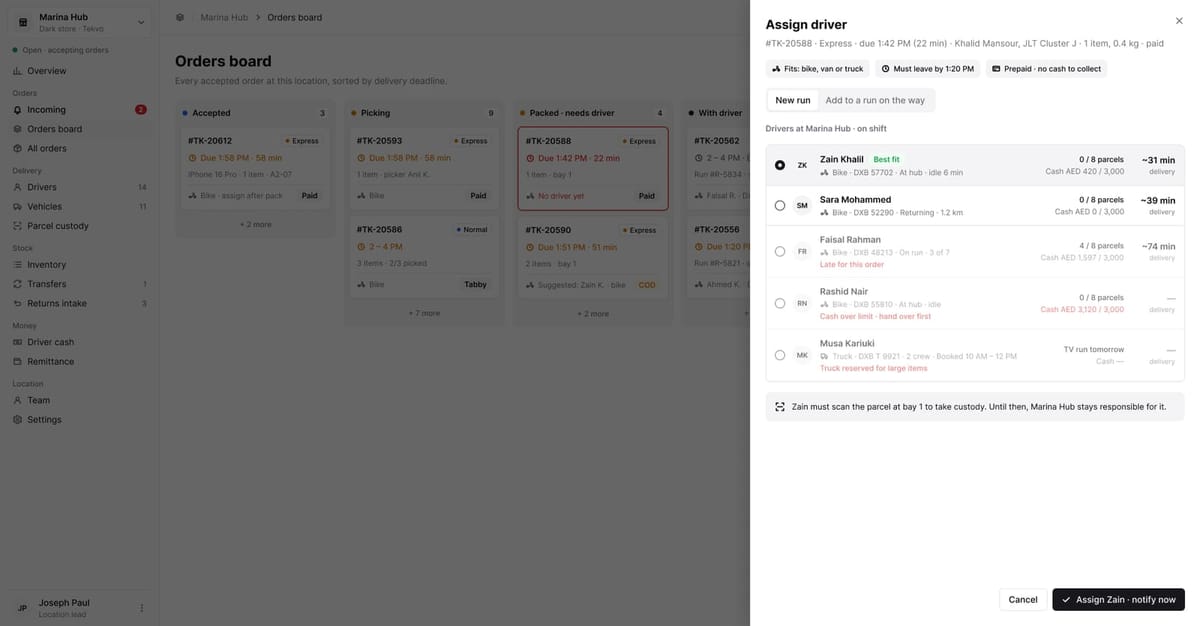
Assign one of their own drivers
Drivers are ranked by vehicle, distance and cash in hand. Custody only moves to the rider when they scan the parcel at the bay.
- 6Rider app
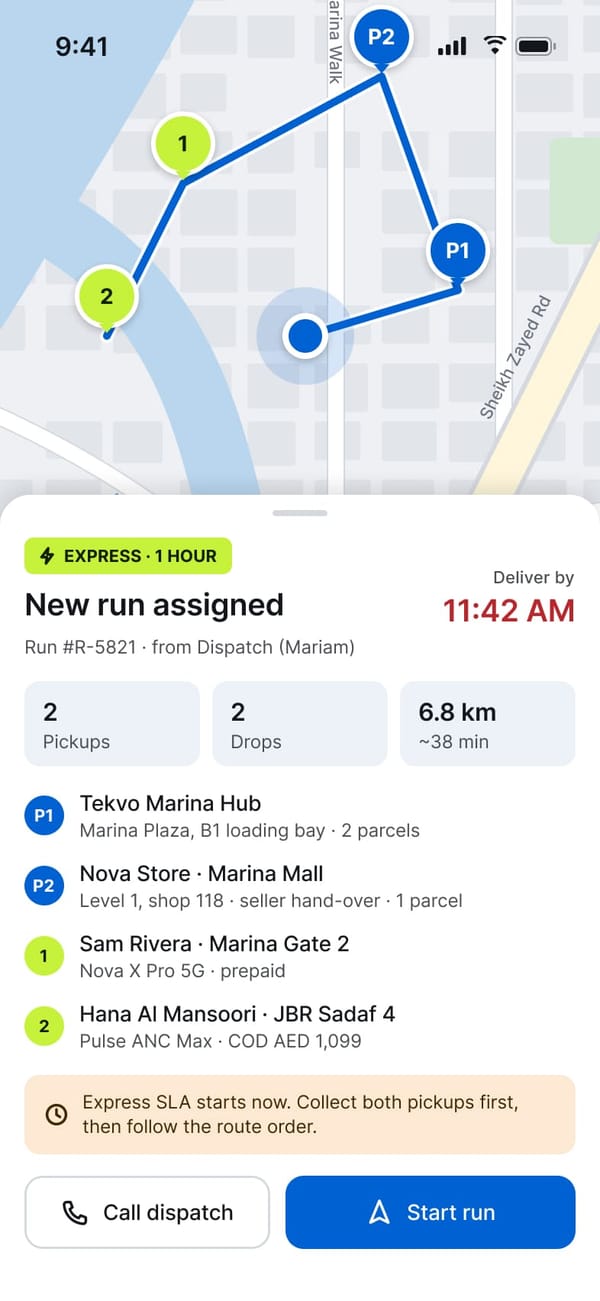
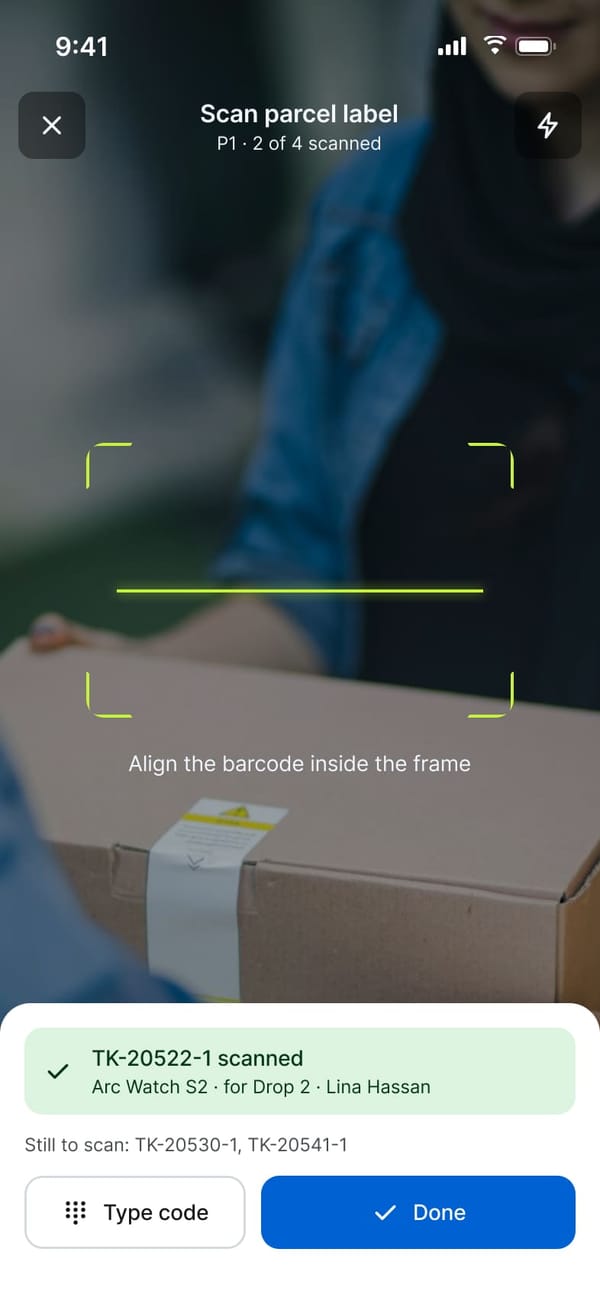
Run assigned, parcels scanned
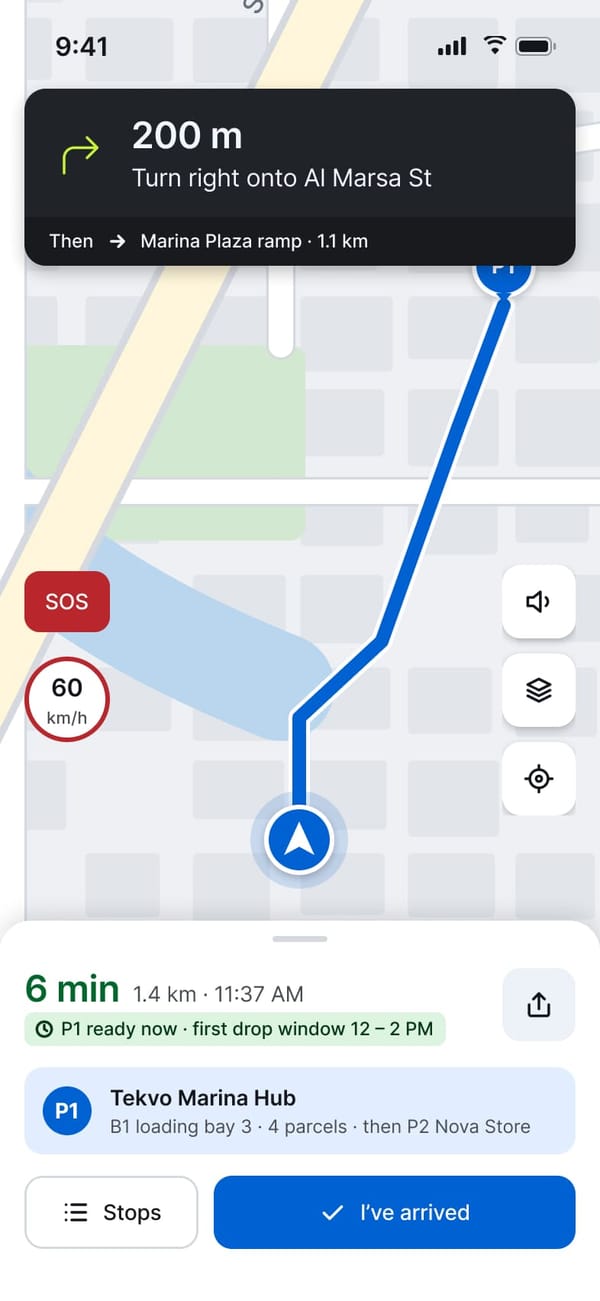
An Express run arrives with its SLA clock, pickups and drops in route order. The rider scans each parcel at pickup before the run can start.
- 7Customer app
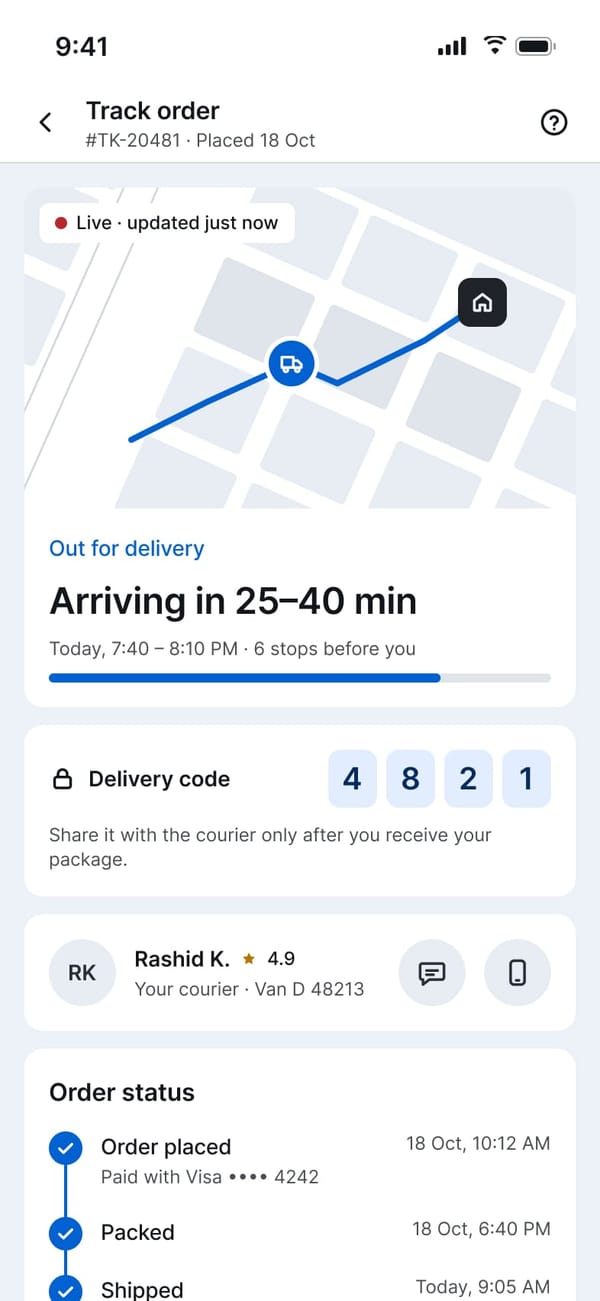
Track it, hand it over with a code
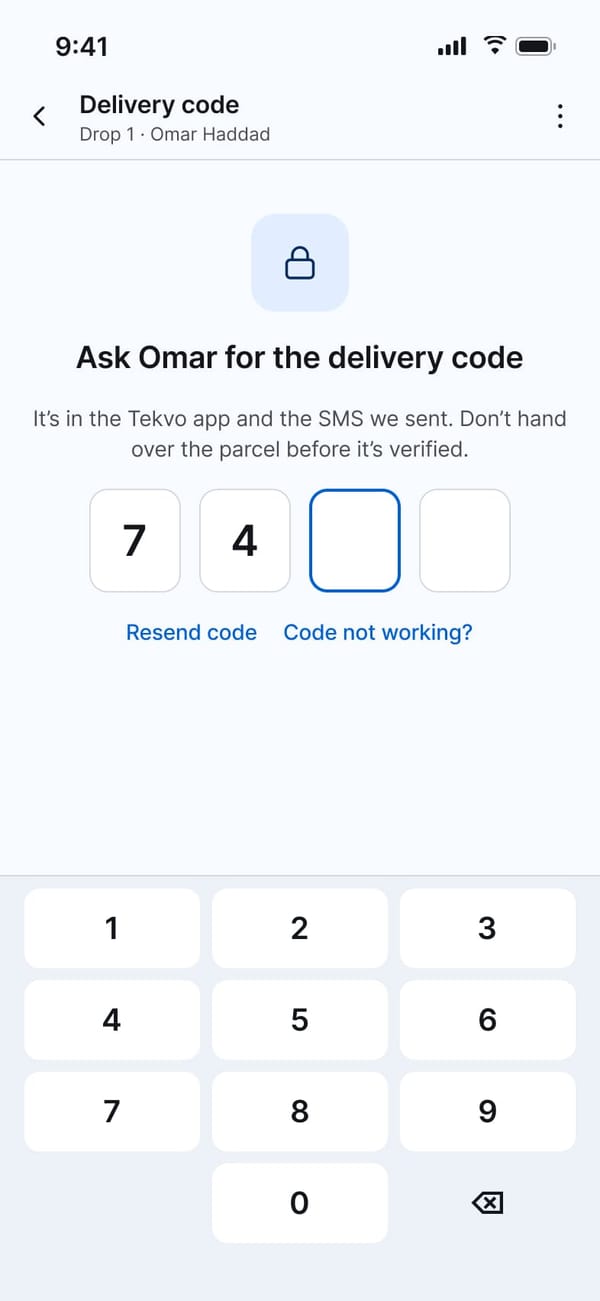
The customer follows the rider live. At the door the parcel is only handed over once the 4-digit delivery code from the app or SMS is verified.
- 8Rider app
Collect payment and prove delivery
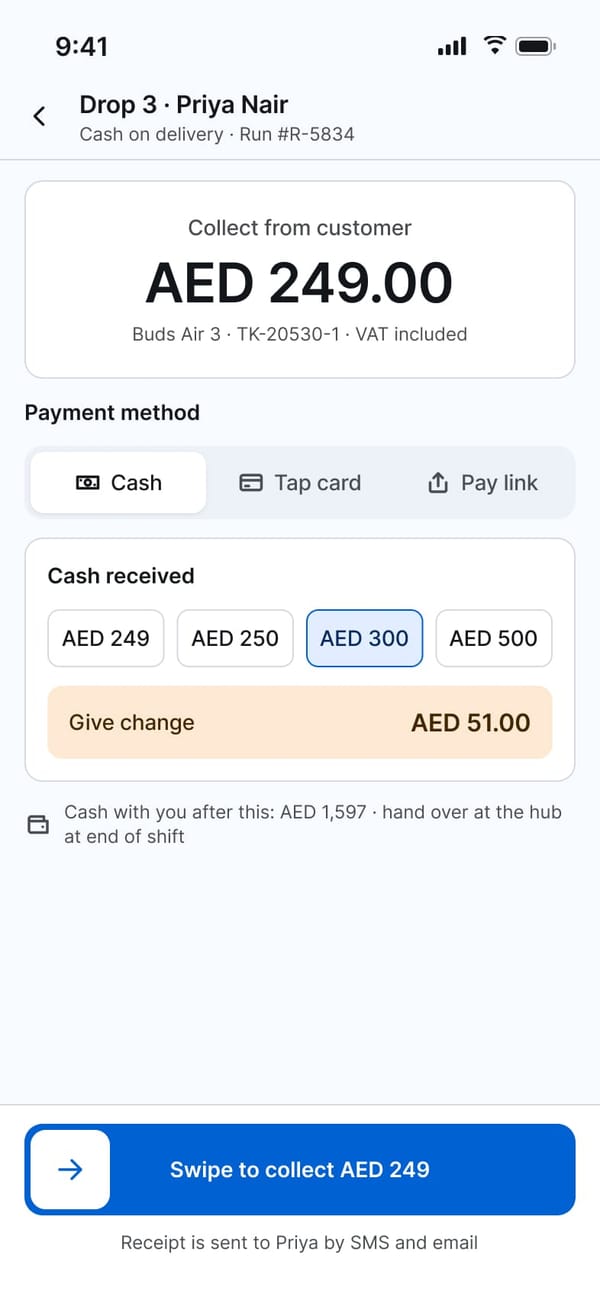
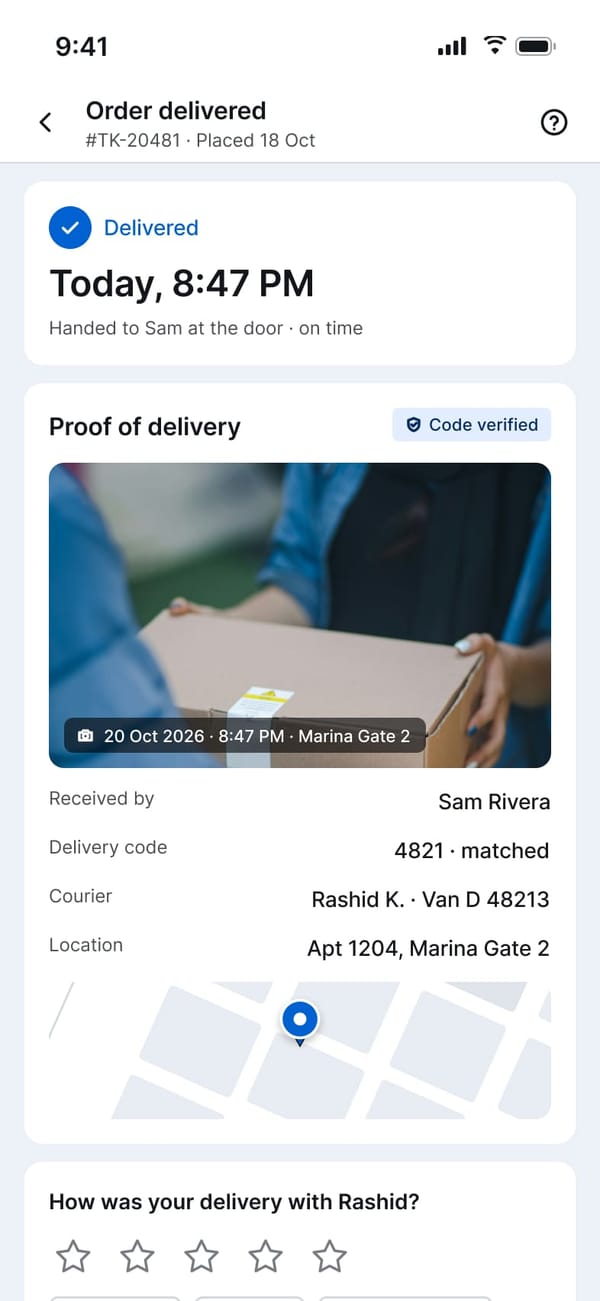
For cash on delivery the app works out the change and logs the cash the rider holds. The customer gets a receipt and photo proof of delivery.
- 9Hub and store
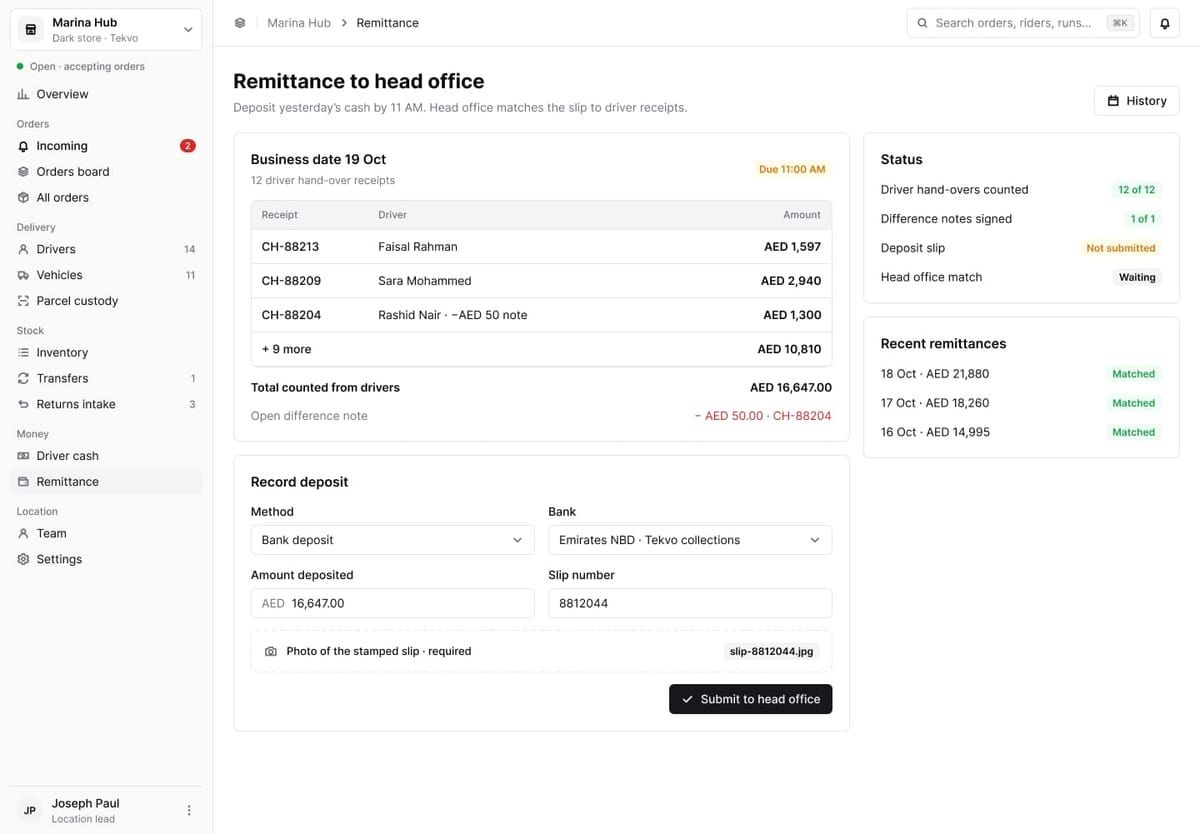
Count the cash at hand-over
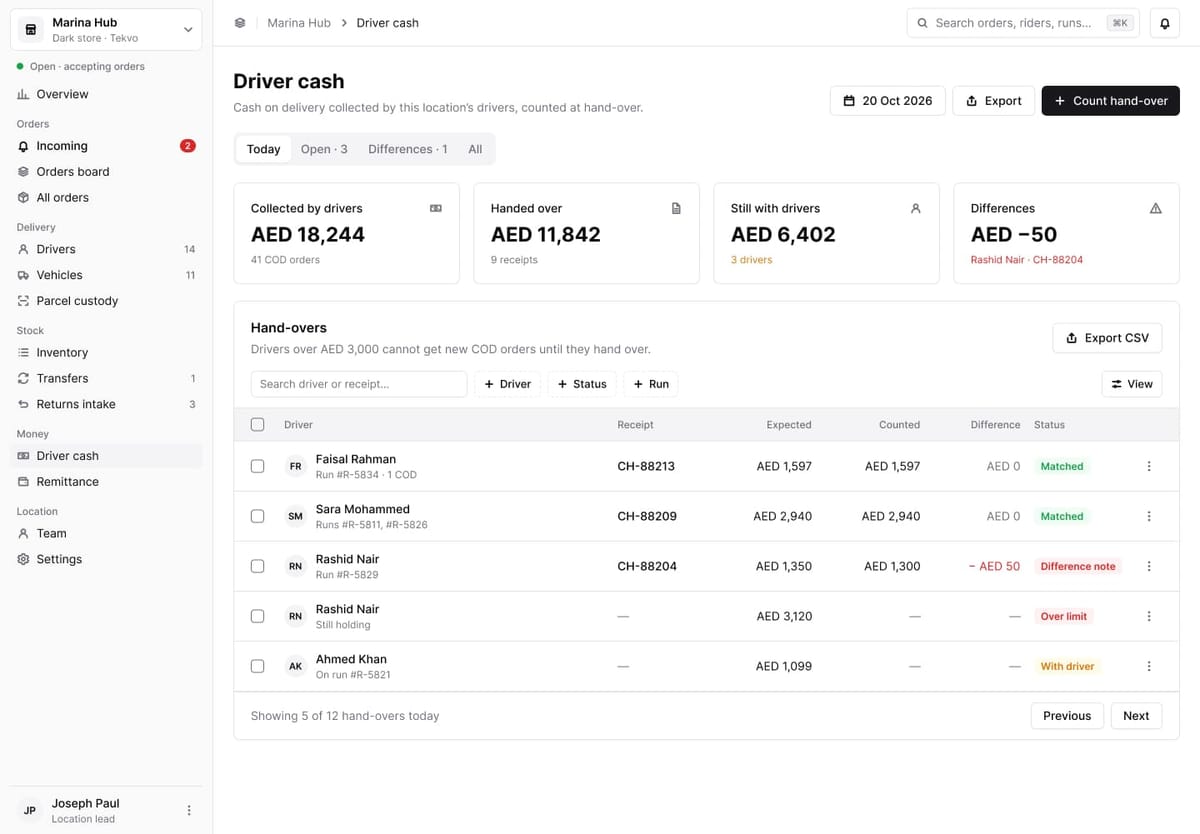
Each driver’s cash is counted against their receipts, differences need a signed note, and drivers over the limit get no new COD orders.
- 10Hub and store
Remit to head office
The hub deposits the day’s cash with a stamped slip, and head office matches the deposit to every driver receipt.
How it was made
Every screen, component, variable and prototype link in Tekvo was created in Figma by a coding agent through figmcp, from plain-language prompts, then checked with screenshots and fixed by the same agent.
- 01
Design system first
Foundations for colour, type, spacing, shape and layout, then the core components, with tokens checked for contrast before any screen existed.
- 02
A brand of its own
Asked to create everything, the agent named the store Tekvo, chose a blue and volt-lime palette and built a commerce widget library on top of the system.
- 03
The customer app, one flow at a time
Splash to Tekvo Plus, screen by screen, each one prototyped. Dark versions were made by rebinding every layer to the dark token collection.
- 04
The rider app
Corrected mid-build: riders are Tekvo employees, so runs are assigned by dispatch with Express and Normal SLAs instead of gig-style offers.
- 05
Head office, hubs and stores
The order and money blueprint came first, then the admin dashboard and one shared dashboard for every hub and store, built from a web component library.
- 06
Ready to launch
App icons for iOS and Android, App Store and Google Play screenshots and the project covers, exported at every size the stores ask for.
›Create your own everything.
›Design should be the same for all dashboards, if it is a hub or a store.
Design your own
Install figmcp, open a file in Figma Desktop, run the plugin and describe the product you want.
npx -y @irshad.io/figma-local-mcp@latest setupCustomer app
iOS and Android · 393 × 852
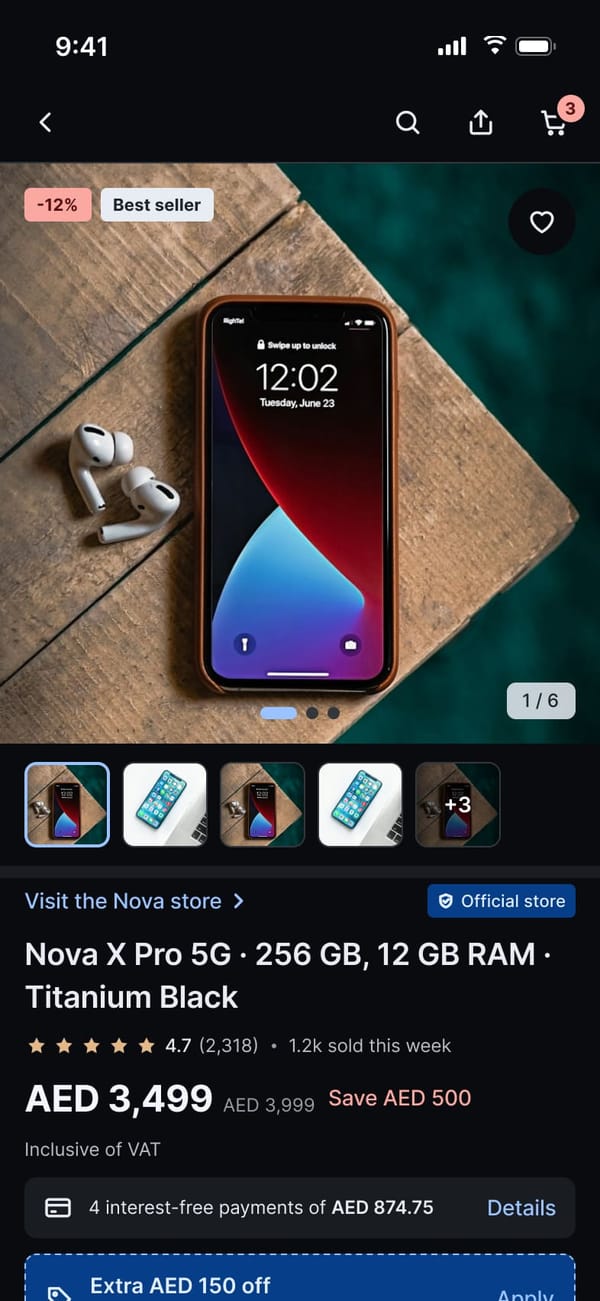
From the splash to a delivered order: sign in with a mobile number, browse and search, product pages with specs, reviews and Q&A, cart, checkout with a map pin, delivery or click and collect, payment, tracking, cancellations, returns, account, rewards and Tekvo Plus.
01Splash and onboarding
9 screens · scroll sideways02Sign in
9 screens · scroll sideways03Home and browse
6 screens · scroll sideways04Search
8 screens · scroll sideways05Product
11 screens · scroll sideways06Cart and wishlist
8 screens · scroll sideways07Checkout
11 screens · scroll sideways08Guest checkout
5 screens · scroll sideways09Orders and returns
13 screens · scroll sideways10Account
16 screens · scroll sideways11Tekvo Plus
4 screens · scroll sideways12Support chat
2 screens · scroll sideways13Empty, loading and system states
15 screens · scroll sidewaysOrder and money flow
How an order is routed to a hub or store, accepted, handed to their own drivers, tracked through custody and delivered, and how cash moves from the driver to remittance. The four products are designed around this one chain.
Design system
Foundations and components shared by every product, the app widget library the mobile screens are built from, and the web components behind both dashboards.
Foundations 7
Components 6
App widget library 5
Web components 8
Covers and app store
Project covers, app icons for iOS and Android, and the listing screenshots for the App Store and Google Play.