Designed in Figma by a coding agent
Every screen, component, variable and text style below was created from plain-language prompts with use_figma, then checked with screenshots and fixed by the same agent.
Voltline
iOS · 390 × 844
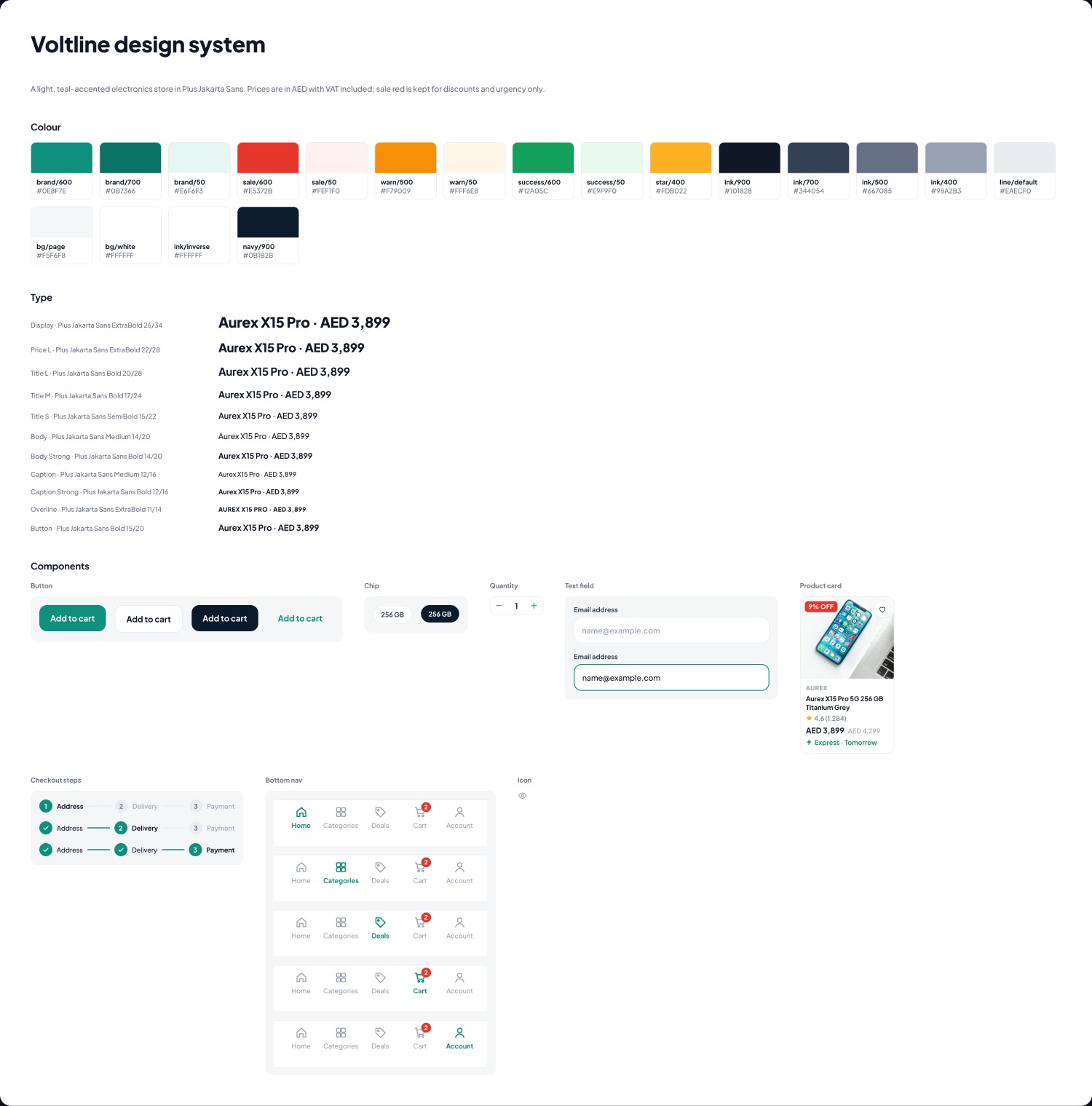
Open in FigmaA full Magento-style shop: sign-in with OTP, a CMS home with banners and category scrollers, layered navigation, a configurable product, cart rules with a coupon, checkout with a map pin, delivery slots and payment, then order tracking.
Light and retail: Plus Jakarta Sans, teal for actions, red only for discounts, prices in AED with VAT included.
- Screens
- 18 in 4 flows
- Components
- 7 sets with variants
- Variables
- 30 colours, spacing and radii
- Text styles
- 11 · Plus Jakarta Sans
- ›Design a full electronics store app for the UAE, with the screens a Magento store needs: auth, CMS home, cart, checkout, address, map and delivery.
- ›The home page needs more content: category product scrollers, a 2×2 offer grid and single banners.
- ›Make the cart, checkout and order totals agree, with the coupon, express delivery and VAT.
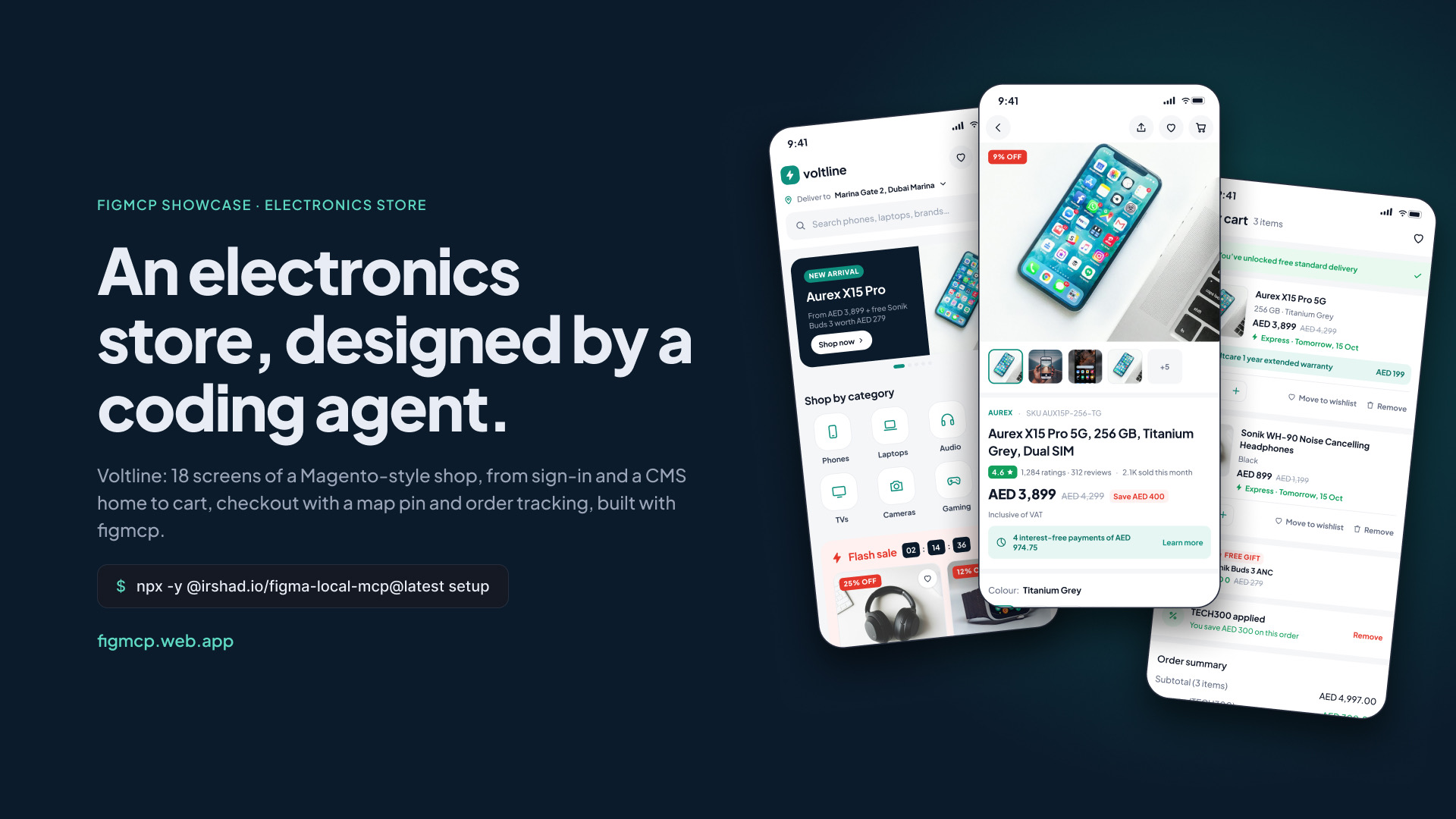
18 screens
Scroll sideways · click to view full sizeForkful
Android · 360 × 800
Open in FigmaA full ordering flow, from phone sign-in to rating the delivery: restaurant discovery, menus with veg and non-veg marks, item customisation, coupons, payment options and live tracking.
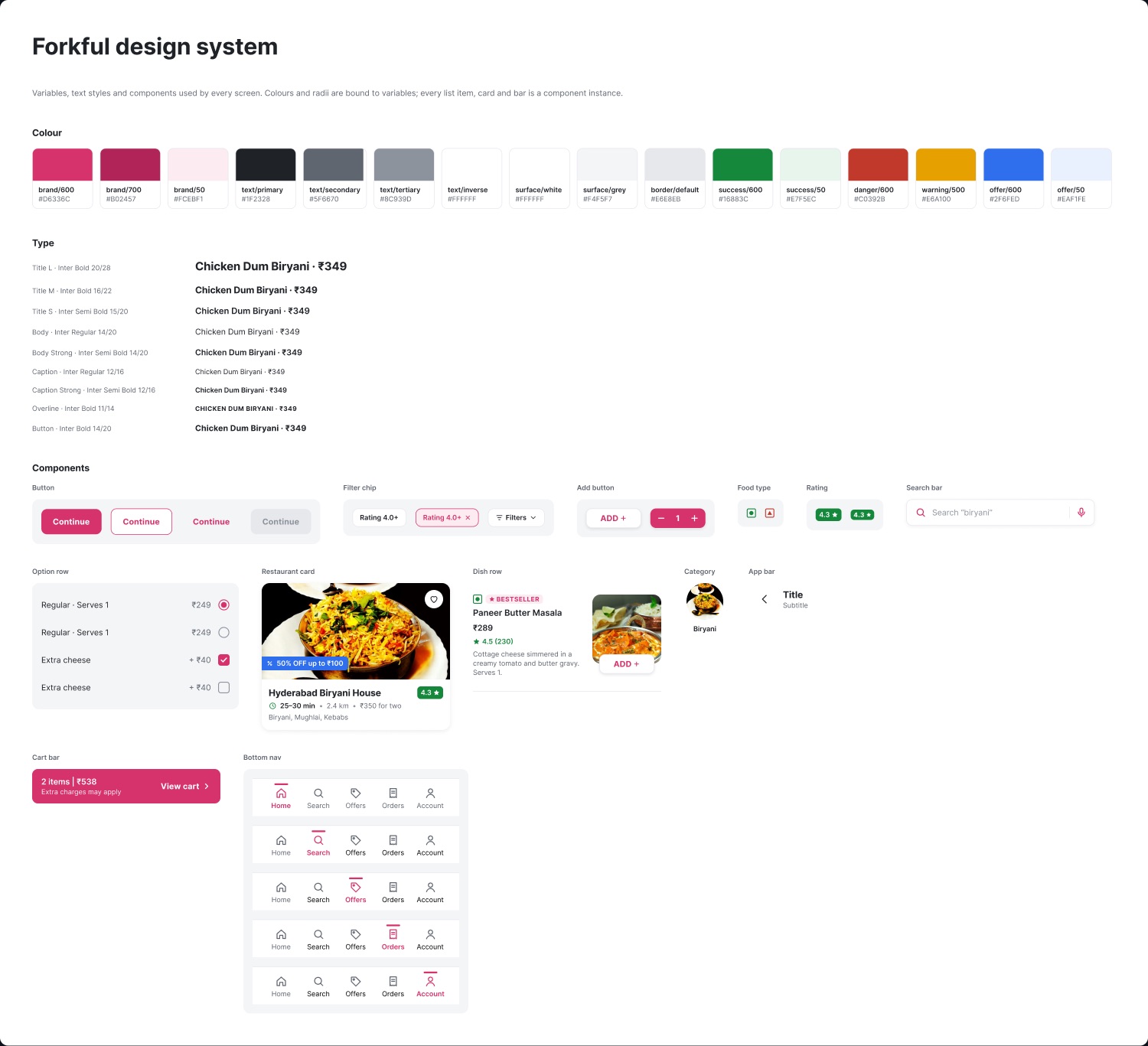
Standard production look: Inter, white surfaces, dense lists, thin dividers and small radii.
- Screens
- 16 in 4 flows
- Components
- 13, with variants
- Variables
- 26 colours, spacing and radii
- Text styles
- 9 · Inter
- ›Design a food delivery app for Indian users: standard Android look, not a showpiece.
- ›Add item customisation with a required portion, spice level and up to 3 add-ons.
- ›Make the cart total add up: items, coupon, tip, fees and GST.
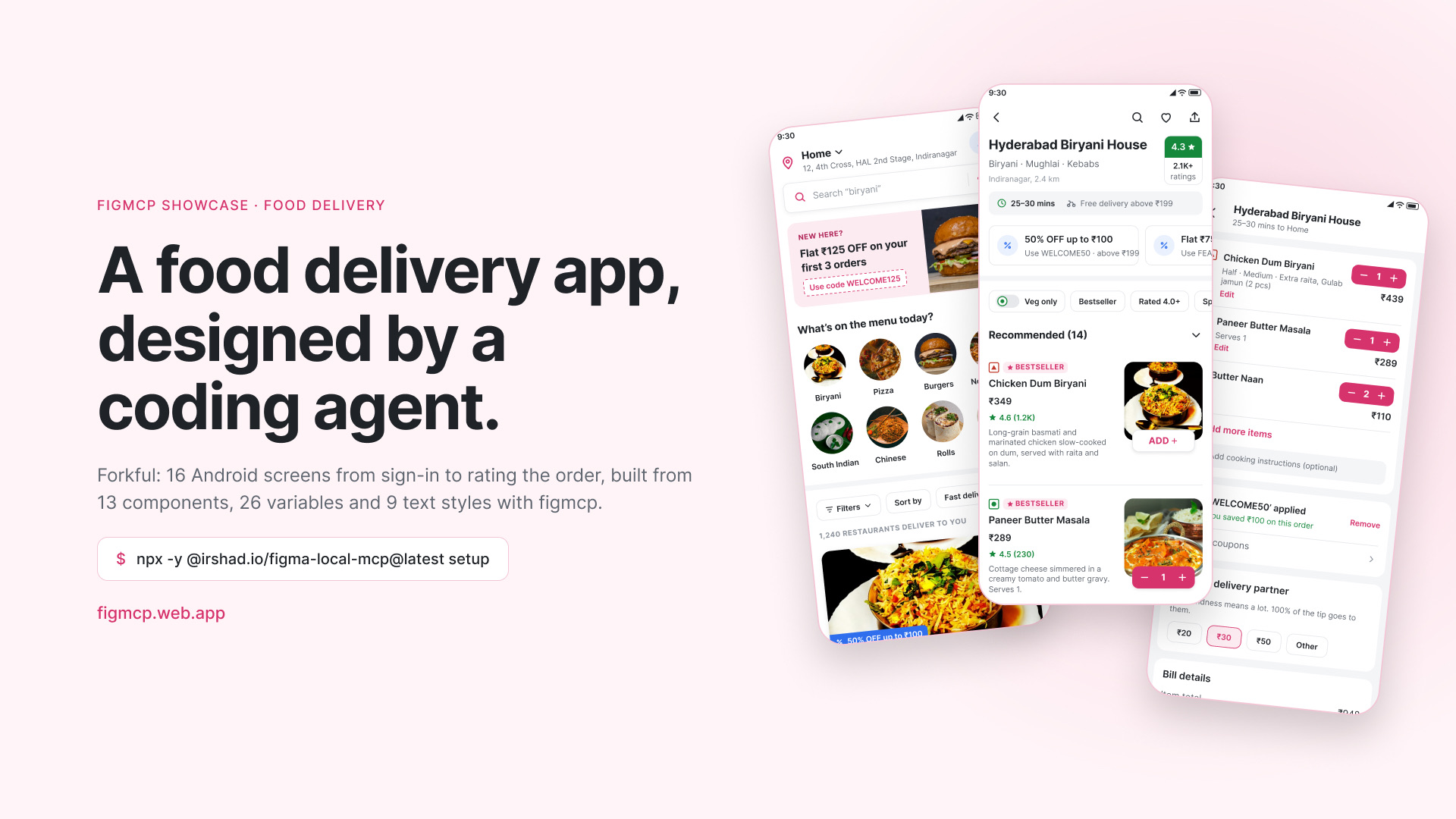
16 screens
Scroll sideways · click to view full sizeForkful Partner
Web · 1440 px
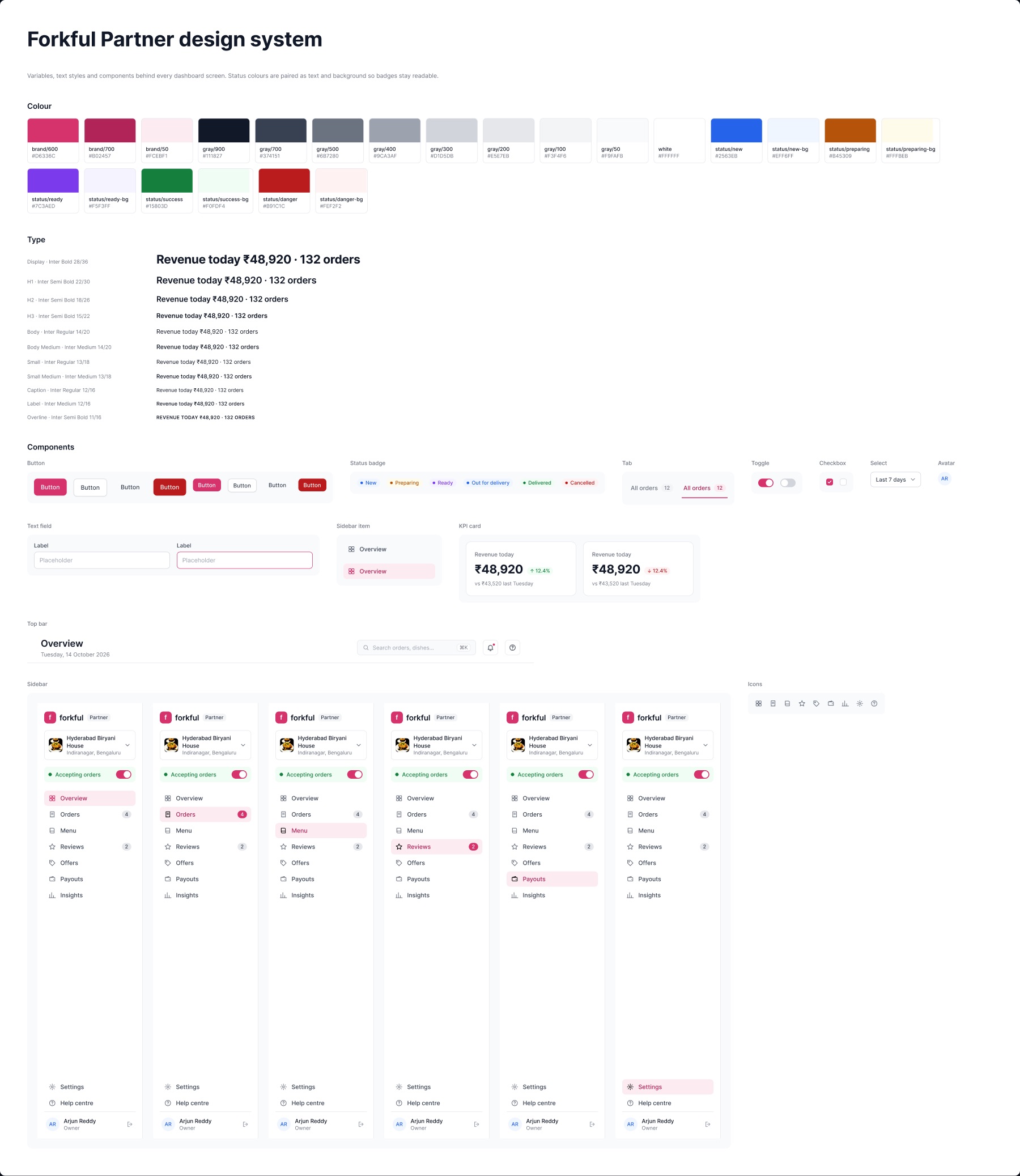
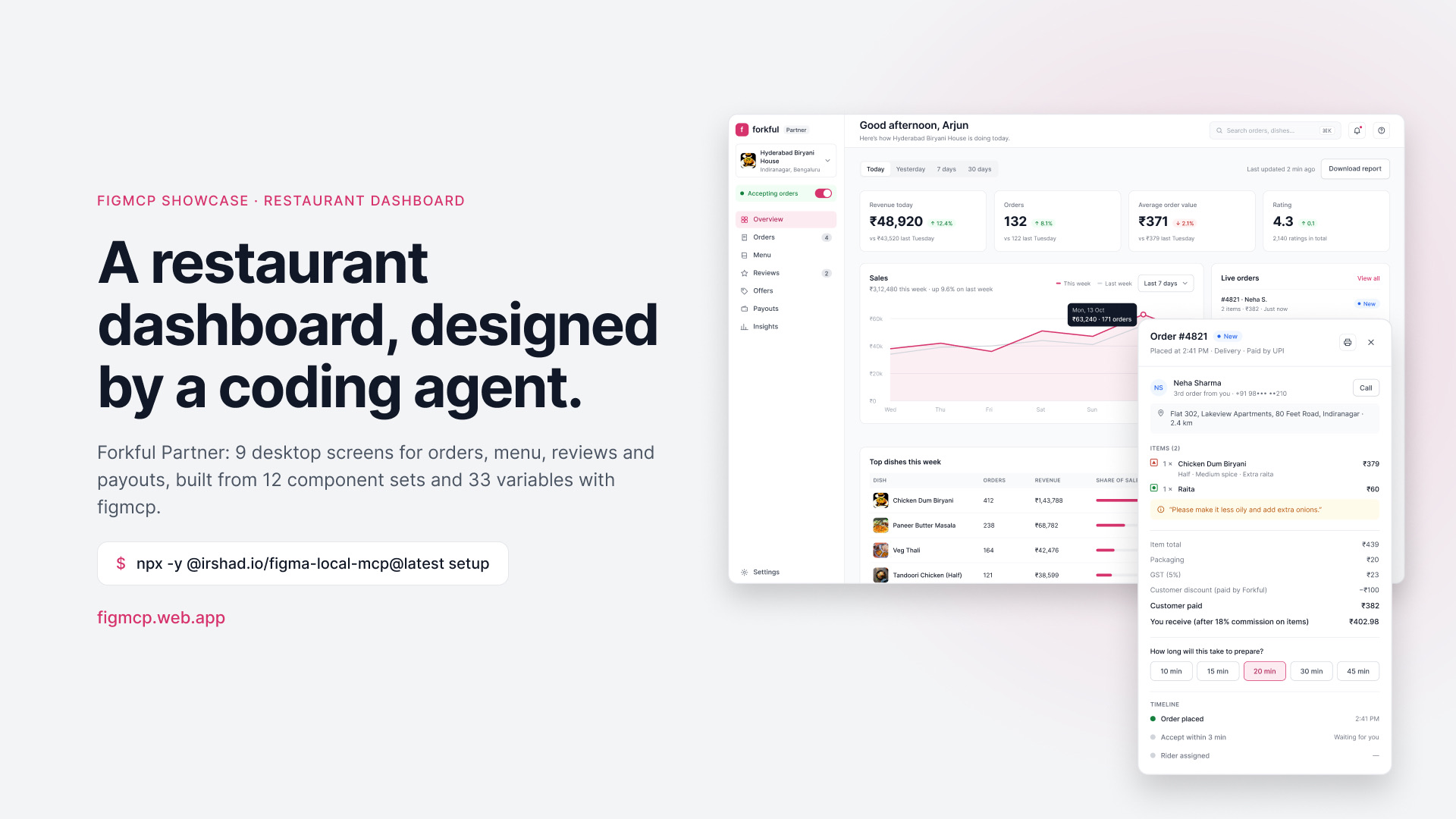
Open in FigmaThe web app restaurant owners use behind Forkful: live orders with accept and reject, an order drawer, menu and stock management, an item editor, reviews, payouts and opening hours.
Desktop SaaS: sidebar navigation, data tables, KPI cards, charts, a drawer and a modal.
- Screens
- 9 desktop screens
- Components
- 12 sets and 9 icons
- Variables
- 33, with paired status colours
- Text styles
- 11 · Inter
- ›Build the restaurant-owner dashboard for Forkful: overview, orders, menu, reviews, payouts, settings.
- ›Open order #4821 in a side drawer with the bill, prep time and an auto-reject timer.
- ›Edit an item in a modal: photos, sizes and prices, add-ons and availability.
9 screens
Click a screen to view it full sizeTradewell
iOS · 390 × 844 · dark
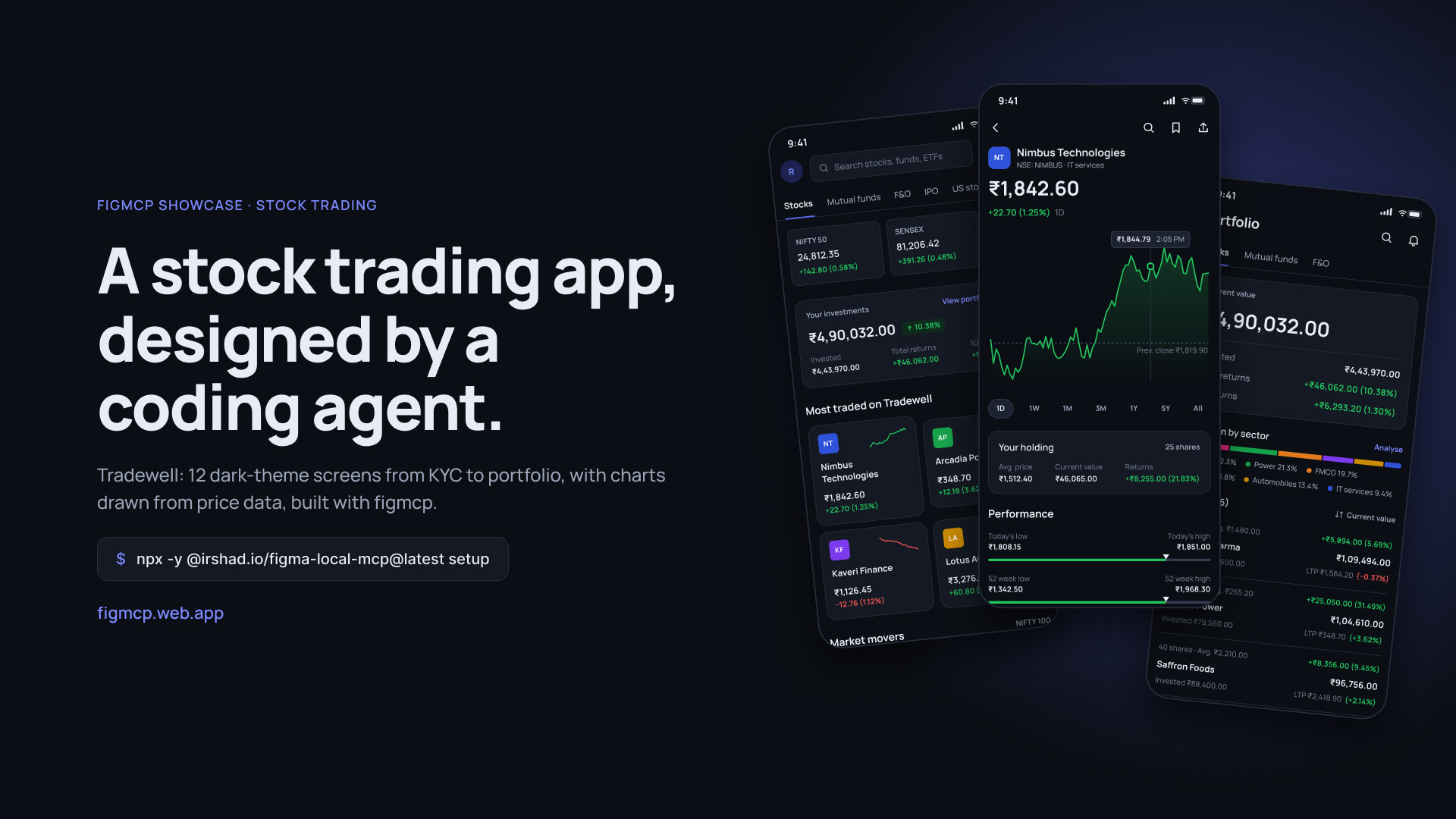
Open in FigmaAn investing app with KYC onboarding, market explore, stock detail with an intraday chart, a limit-order flow, portfolio with sector allocation, watchlists, orders, mutual fund SIPs and adding money.
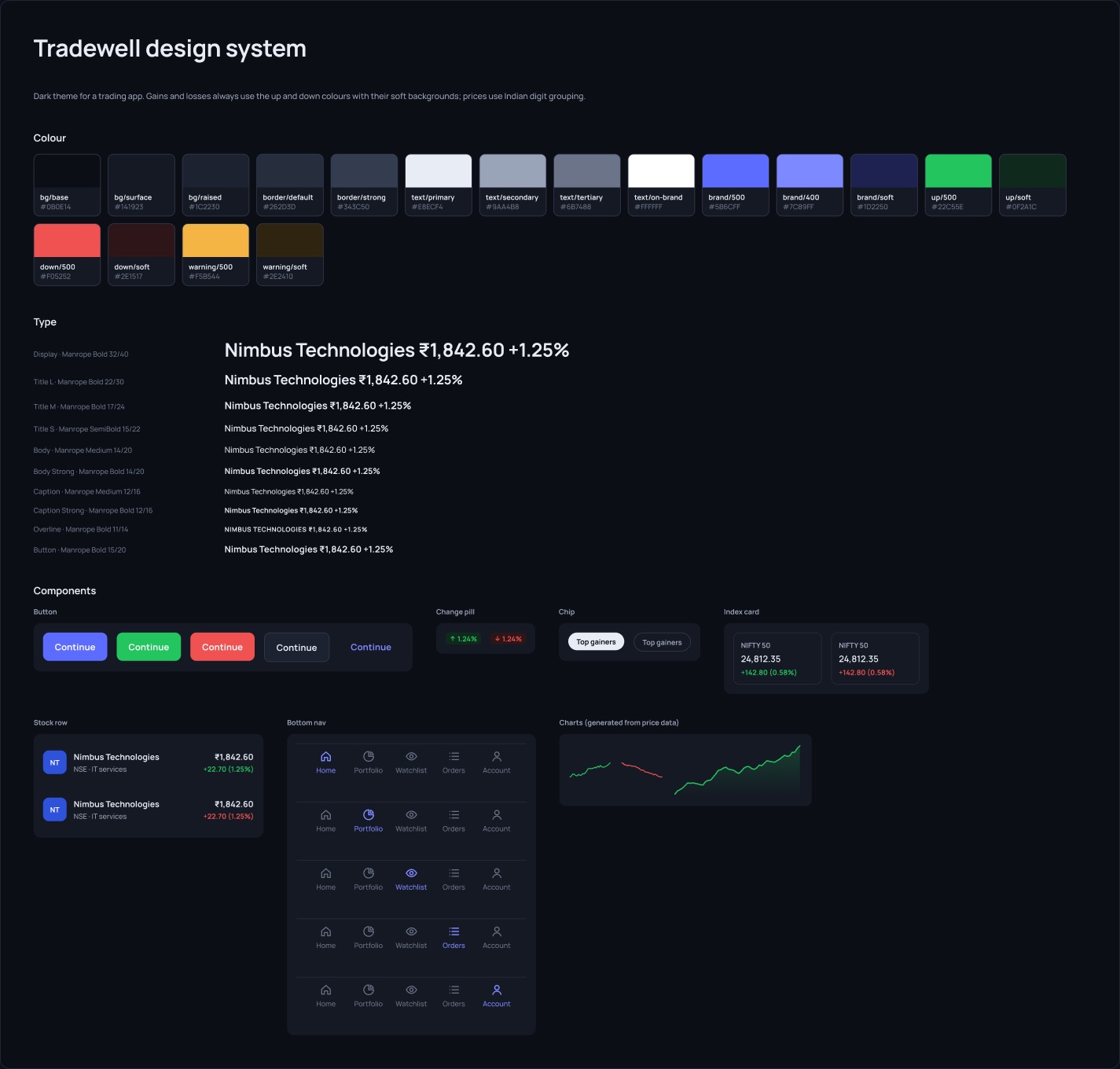
Dark theme in Manrope. Gains and losses keep their colours everywhere; charts are drawn from price data.
- Screens
- 12 in 3 flows
- Components
- 6 sets with variants
- Variables
- 18 colours and tokens
- Text styles
- 10 · Manrope
- ›Design a stock trading app with a dark theme: explore, stock detail, buy flow, portfolio and watchlist.
- ›Draw the intraday chart within the day's low and high, with the previous close marked.
- ›Compute the portfolio totals from the holdings so every screen agrees.
12 screens
Scroll sideways · click to view full sizeHaven
iOS · 390 × 844
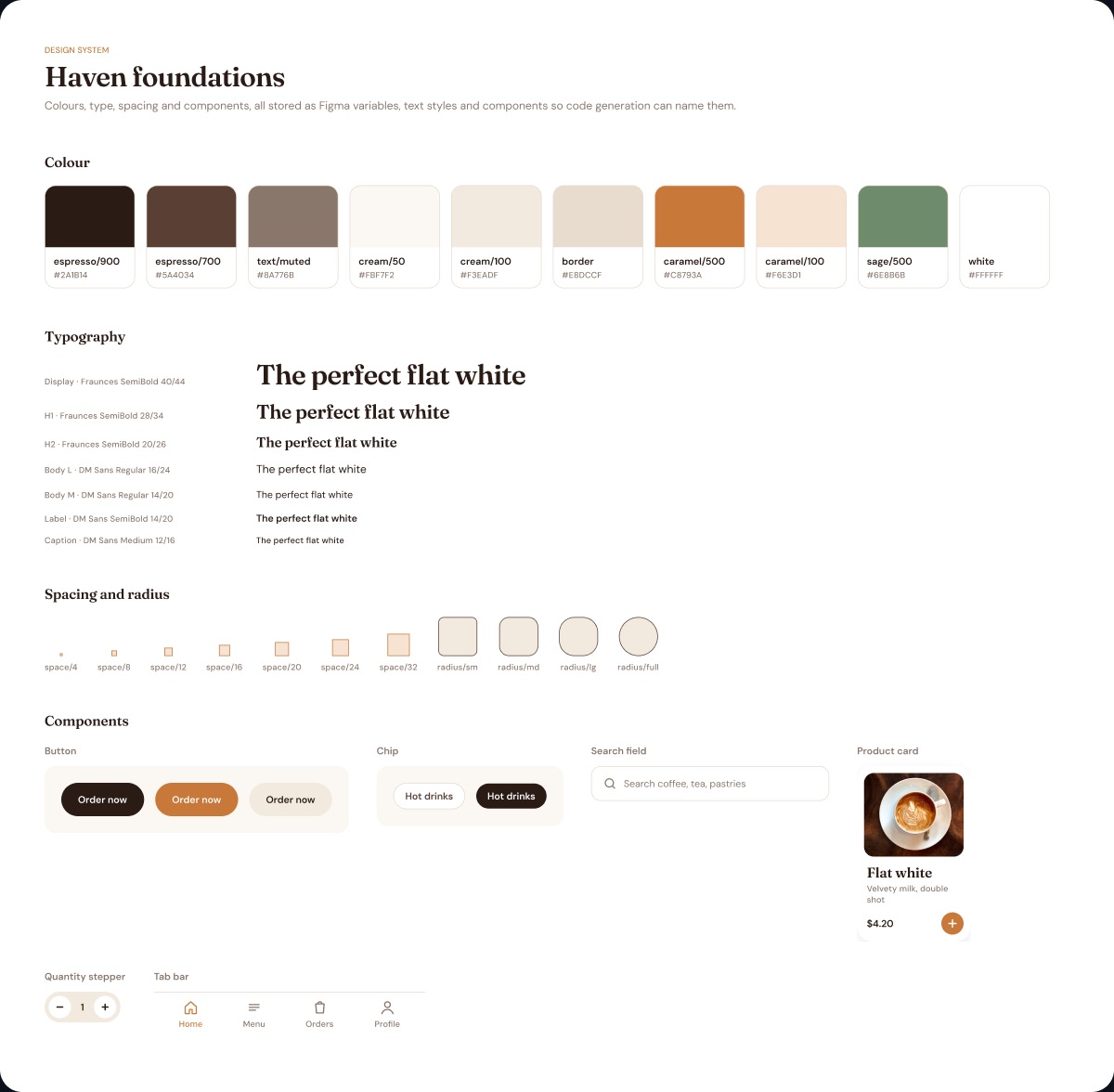
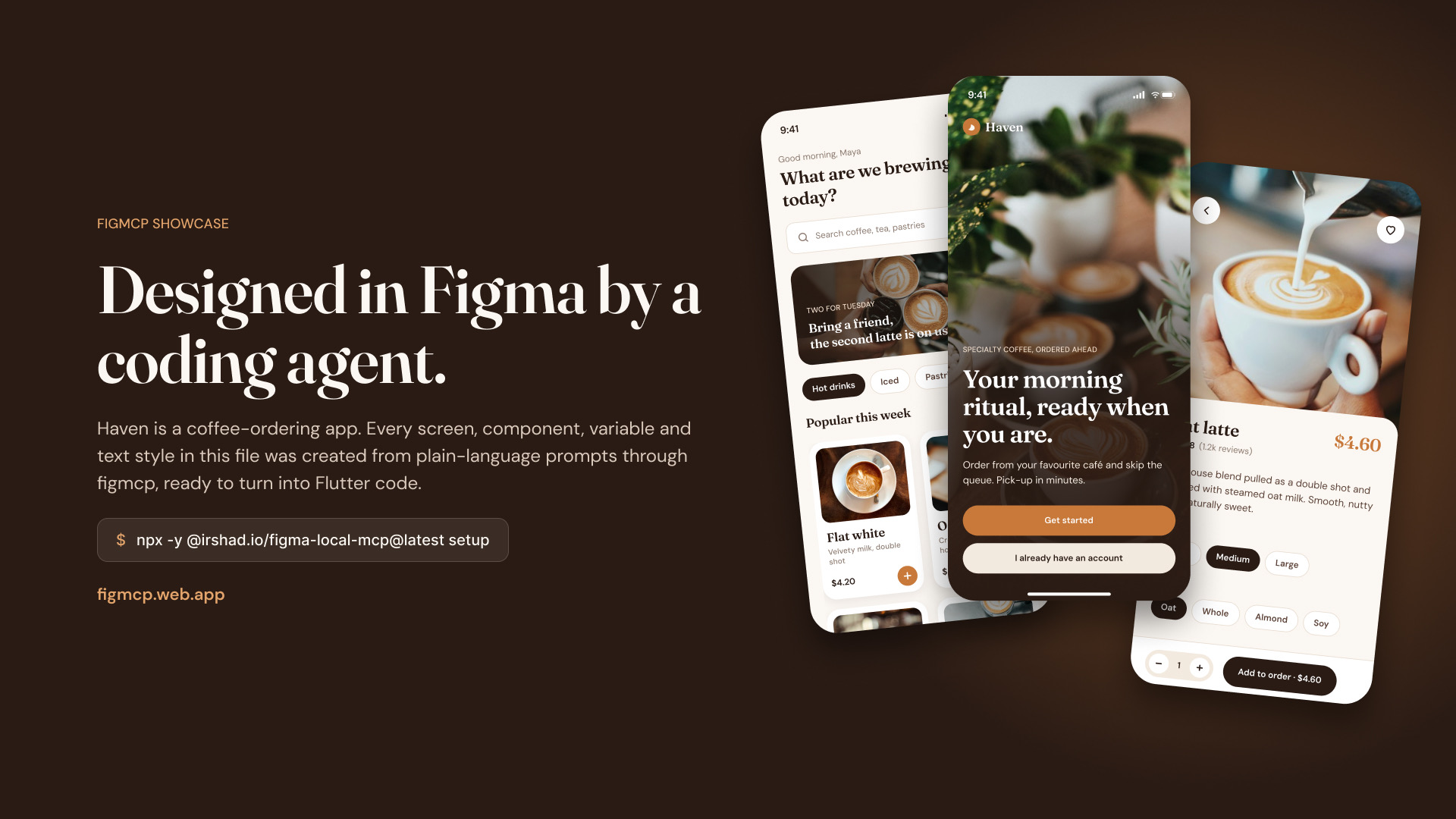
Open in FigmaA small ordering flow for a café: welcome, home with a promo and product grid, product detail with size and milk options, cart and order status.
Warm and editorial: Fraunces headings, DM Sans for UI, cream surfaces and photography.
- Screens
- 5 and a cover
- Components
- 6
- Variables
- 21 colours, spacing and radii
- Text styles
- 7 · Fraunces and DM Sans
- ›Design a welcome screen for Haven: full-bleed café photo, a dark fade, a serif headline and two buttons.
- ›Build the home screen from the design system: greeting, search, a promo banner and product cards.
- ›Show the order being brewed: a progress ring, a step timeline and the pick-up code.
5 screens
Scroll sideways · click to view full sizeDesign your own
Install figmcp, open a file in Figma Desktop, run the plugin and describe the app you want.
npx -y @irshad.io/figma-local-mcp@latest setup